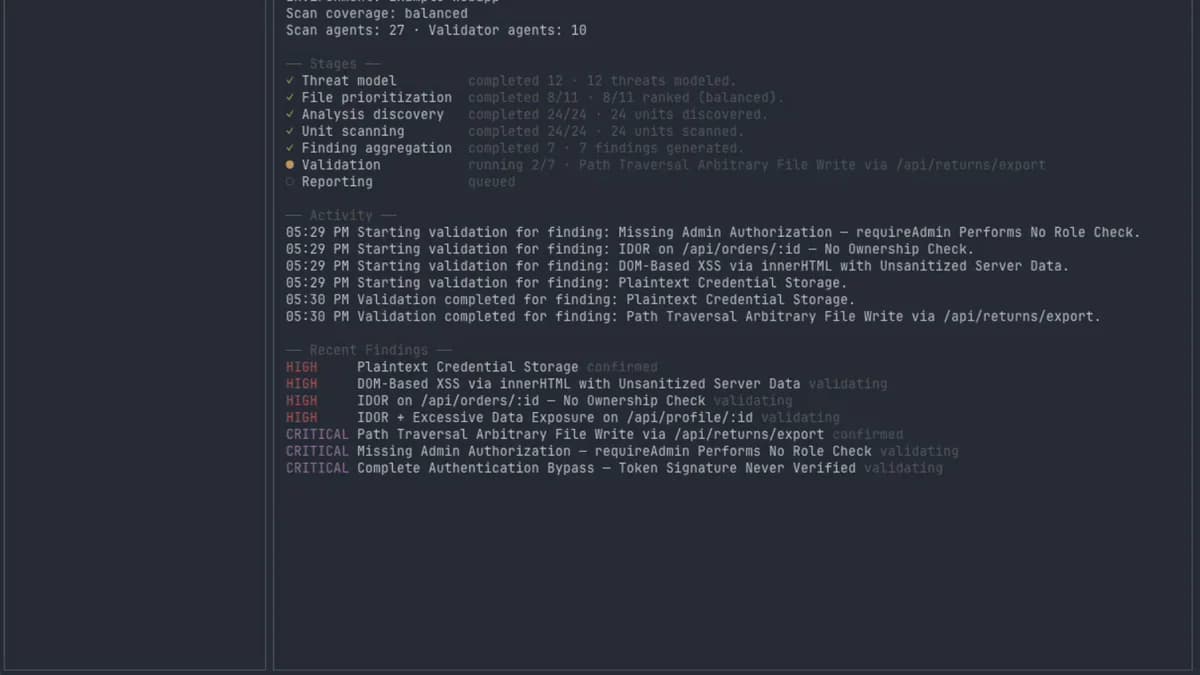

- RedAI không dừng ở việc flag code trông có vẻ vulnerable.
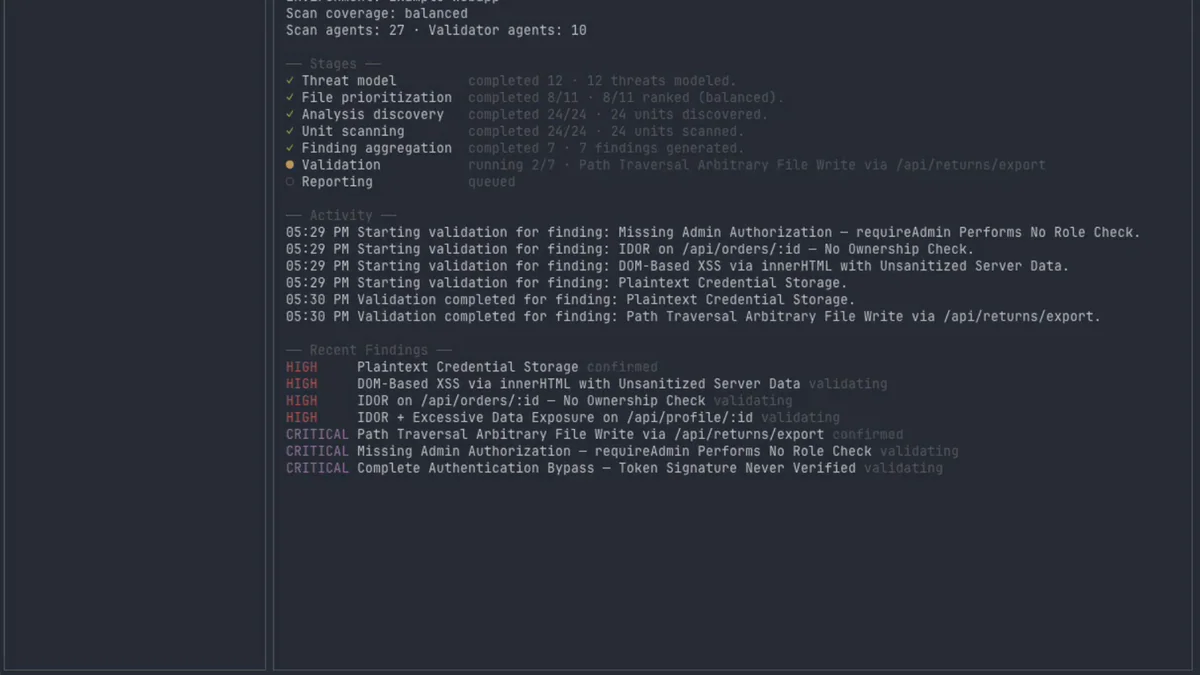
- Validator agent lao thẳng vào Chrome thật, iOS Simulator thật, click UI, viết PoC, chụp screenshot — chỉ confirmed finding mới lên report.
- OSS, MIT, chạy trên Bun.
TL;DR
RedAI là terminal workbench (TUI) cho AI-driven vulnerability discovery kèm live validation, vừa được Kyle Polley công khai trên GitHub (kpolley/redai) và npm (@kpolley/redai). Khác với các "AI security" tool chỉ flag code nhìn có vẻ vulnerable, RedAI cử validator agent lao thẳng vào instance đang chạy của target — Chrome thật hoặc iOS Simulator thật — để click UI, hit endpoint, viết PoC script, lưu screenshot, rồi mới quyết định finding đó là confirmed, disproved hay unable-to-test. Mọi finding ra report đều kèm bằng chứng: PoC, HTTP transcript, log, ảnh chụp. OSS, MIT, chạy trên Bun ≥ 1.2.
What's new
Kyle Polley vừa release RedAI dưới dạng package npm @kpolley/redai, license MIT, kèm 2 demo app intentionally-vulnerable để bạn thử end-to-end mà không phải chĩa scanner vào codebase production của mình.
- Cài 1 dòng:
bun install -g @kpolley/redai, gõredai, mở TUI ngay trong terminal. - 2 environment validator built-in: Browser (Chrome thật, drive qua agent-browser của Vercel Labs) và iOS Simulator (drive qua
xcrun simctl). - Plugin interface
validator-plugin.tsđể cộng đồng tự thêm Linux VM, Android emulator, K8s cluster, embedded shim. - 2 scanner agent được hỗ trợ: Claude Code (
ANTHROPIC_API_KEY, Bedrock, Vertex) và OpenAI Codex (OPENAI_API_KEYhoặcCODEX_API_KEY).
Why it matters
Pain point lớn nhất của AI security scanner hiện tại là noise: hàng trăm finding theo kiểu "chỗ này có vẻ XSS", "chỗ kia có thể IDOR", nhưng triage thủ công vẫn ngốn ngày của security engineer. RedAI đảo ngược loop bằng cách bắt validator agent thử khai thác trước khi finding đó được phép xuất hiện trong report. Confirmed finding nghĩa là agent đã thực sự click vào UI, gửi request, nhận response, lưu PoC script — không phải chỉ một LLM judgement.
"Most 'AI security' tools stop at flagging code that looks vulnerable. RedAI goes further: validator agents work inside a live environment — a running instance of the target — and try to prove or disprove each finding before it ever shows up in the report." — README RedAI
Technical facts
Pipeline 9 stage chạy theo trình tự cố định: preflight → threat model → file prioritization → analysis units → unit scan → finding aggregation → validation plan → validation execution → reporting. Gói gọn lại thành 3 phase mà người dùng nhìn thấy trong TUI:
| Phase | Agent | Output |
|---|---|---|
| Discover | Scanner (Claude Code / Codex) | Candidate findings từ source code |
| Validate | Validator (Browser / iOS / custom) | Verdict: confirmed / disproved / unable-to-test + evidence |
| Report | Pipeline | ~/.redai/runs/<runId>/report.{md,html,json} |
Mọi artifact — PoC script, HTTP transcript, log, screenshot, browser profile, simulator metadata — được lưu dưới ~/.redai/runs/<runId>/artifacts/ (override bằng biến môi trường REDAI_HOME).
Comparison
Thị trường "agentic pentest" đang đông dần: HexStrike AI, PentAGI, Penligent, Synack Sara, Wiz Red Agent, GitHub Copilot Autofix... Mỗi tool chọn một angle khác nhau:
| Tool | Form factor | Angle chính |
|---|---|---|
| RedAI | Local TUI, OSS MIT | Source-aware scan + live validation loop với evidence |
| HexStrike AI / PentAGI | MCP server / autonomous | Orchestrate 150+ CLI security tool |
| Synack Sara / Wiz Red Agent | Managed cloud | Agentic red team trên platform của vendor |
| Snyk AI / Copilot Autofix | IDE / CI | Static AI suggestion, không validate runtime |
Khoảng trống RedAI đánh vào: ai cũng quảng cáo "AI security", nhưng rất ít tool tự tay chạy thử finding trước khi báo cáo. RedAI làm điều đó bằng plugin nhỏ và TUI gọn, không cần dashboard cloud.
Use cases
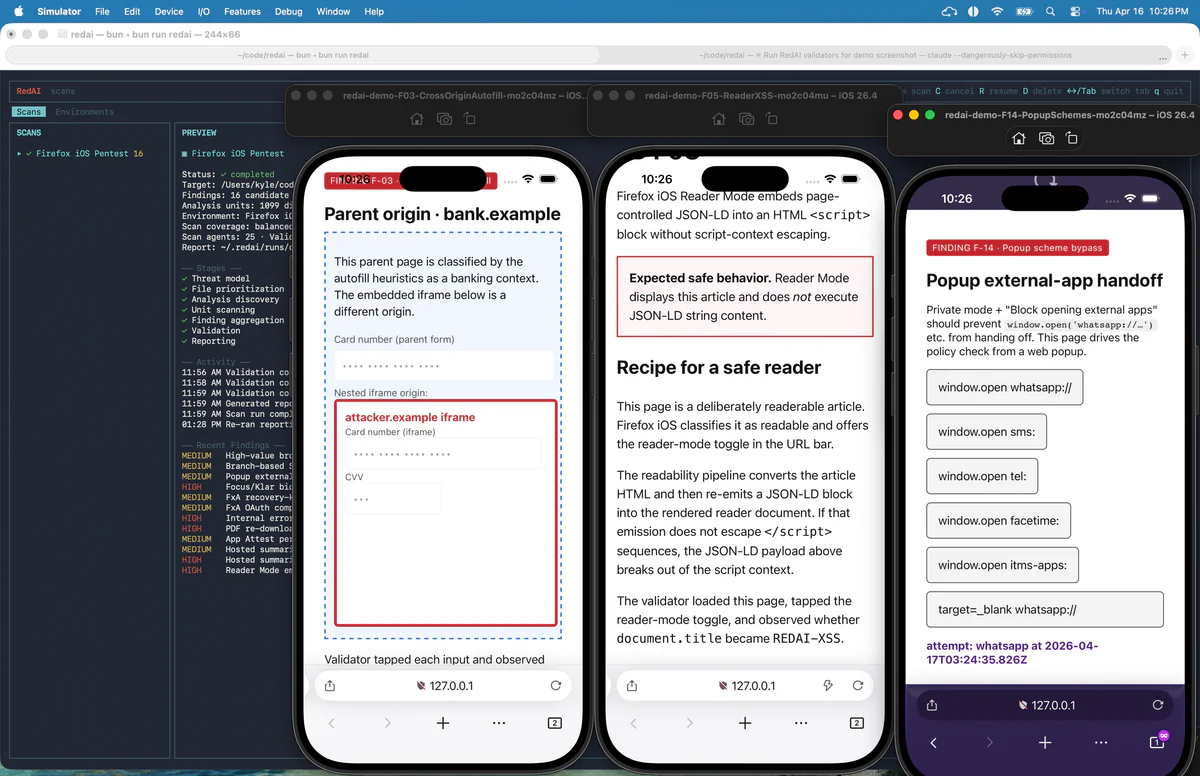
- Web app pentest: trỏ Browser env vào
http://localhost:3000, login một lần, markready, scan source dir. Validator login lại bằng cookie đã lưu, drive Chrome, viết PoC. - iOS app assessment: boot simulator template per-scan, install bundle, validator drive bằng
xcrun simctl— README cho thấy ví dụ test Reader Mode XSS của Firefox iOS với originbank.example. - Bug bounty triage: dùng RedAI làm filter — chỉ confirmed finding mới đáng đem ra viết report.
- CI gate: chạy RedAI trên PR với staging environment, fail build nếu validator confirm CRITICAL.
- Custom env: implement
validator-plugin.tsđể gắn Linux VM, Android emulator, K8s cluster, hoặc thiết bị nhúng.
Limitations & pricing
- License: MIT, hoàn toàn OSS. Chi phí thực tế = LLM token (Anthropic / OpenAI / Bedrock / Vertex). Scan codebase lớn = nhiều round agent → cost không nhỏ.
- Runtime lock: Bun ≥ 1.2 only, không chạy trên Node thuần.
- iOS validator bắt buộc macOS + Xcode +
xcrun simctl. Browser validator cần Chrome + skillagent-browsertại.agents/skills/agent-browsertrong target workspace. - Authorized use only. README cảnh báo rõ: "Use RedAI on software and environments you own or are authorized to assess. Agent output can be incomplete or wrong — review findings and evidence before acting on them."
- Local state nhạy cảm:
~/.redai/có thể chứa source-derived prompt, agent transcript, evidence, credential, browser profile, simulator metadata — không nên commit hoặc share thô.
What's next
RedAI mới ở giai đoạn early — README mời cộng đồng góp validator environment mới (Linux VM, Android emulator, remote staging cluster, embedded device). Plugin interface trong src/validators/validator-plugin.ts được giữ nhỏ chính vì lý do này. Nếu bạn đang build red-team automation hoặc triage pipeline cho bug bounty, đây là một trong số ít OSS tool đáng theo dõi để xem "AI security" tiến hoá từ "flag" sang "prove" như thế nào.
Nguồn: kpolley/redai trên GitHub, @kpolley/redai trên npm, agent-browser của Vercel Labs.