TL;DR
awesome-nano-banana-pro-prompts is a GitHub repo from YouMind-OpenLab that bundles 12,468 prompts for Google's Nano Banana Pro (Gemini 3 Pro Image). Every prompt ships with a sample image so you can see the output before copying. 11.1k stars, 1.2k forks, CC BY 4.0, auto-updated twice a day via GitHub Actions. Browse on GitHub or the searchable YouMind gallery.
What's new
Nano Banana Pro (Google's nickname for the gemini-3-pro-image-preview model) landed with strong in-image text rendering and tight subject consistency — but writing prompts that actually exploit those strengths is a separate skill. YouMind's library solves the prompt half of the problem by aggregating the best examples from across X/Twitter, curating them, and adding sample previews.
Key numbers straight from the repo as of the April 17, 2026 sync:
- 📝 12,468 total prompts
- ⭐ 9 featured (hand-picked for exceptional quality)
- 🌍 16 languages (EN, ZH-CN, ZH-TW, JA, KO, TH, VI, HI, ES-ES, ES-LA, PT-BR, PT-PT, DE, FR, IT, TR)
- 🔄 Auto-sync twice daily at 00:00 and 12:00 UTC via GitHub Actions
- 📄 License: CC BY 4.0 — free commercial use with attribution
Why it matters
Most "awesome-prompts" repos are text dumps — cool in theory, useless in practice because you can't tell which prompts actually work until you burn a generation on each one. This library flips that: every entry includes the actual output image next to the prompt, so you can judge quality at a glance. Some prompts also ship as structured JSON with meta (camera, aspect ratio), scene, subject, wardrobe, and lighting keys — closer to a spec sheet than a one-liner.
There's also a companion AI skill for Claude Code / Cursor / Codex / Gemini CLI that does semantic search over the library and a "content remix" mode — paste an article or script and it returns matching prompts personalized to your copy.
Technical facts
The collection is organized in three taxonomies: Use Cases, Styles, and Subjects. The use-case breakdown is the most useful for picking a starting point:
| Category | Prompt count |
|---|---|
| Social Media Post | 10,000+ |
| Product Marketing | 3,600+ |
| Profile / Avatar | 1,000+ |
| Others / Mixed | 900+ |
| Poster / Flyer | 470+ |
| Infographic / Edu Visual | 450+ |
| E-commerce Main Image | 370+ |
| Game Asset | 370+ |
| Comic / Storyboard | 280+ |
| YouTube Thumbnail | 170+ |
| App / Web Design | 160+ |
Styles span 16 flavors (Photography, Cinematic, Anime/Manga, Illustration, Sketch, Pixel Art, 3D Render, Isometric, Oil Painting, Watercolor, Ink / Chinese Style, Retro / Vintage, Cyberpunk / Sci-Fi, Minimalism, Chibi, and more). Subjects cover 15 types (Portrait, Character, Food / Drink, Product, Animal, Vehicle, Architecture, Landscape, Cityscape, Diagram / Chart, Typography, Abstract Background, Fashion Item, Group / Couple, Influencer).
Some prompts are flagged 🚀 Raycast Friendly — they use Raycast Snippet syntax so you can swap placeholders on the fly:
A quote card with "{argument name="quote" default="Stay hungry, stay foolish"}"
by {argument name="author" default="Steve Jobs"}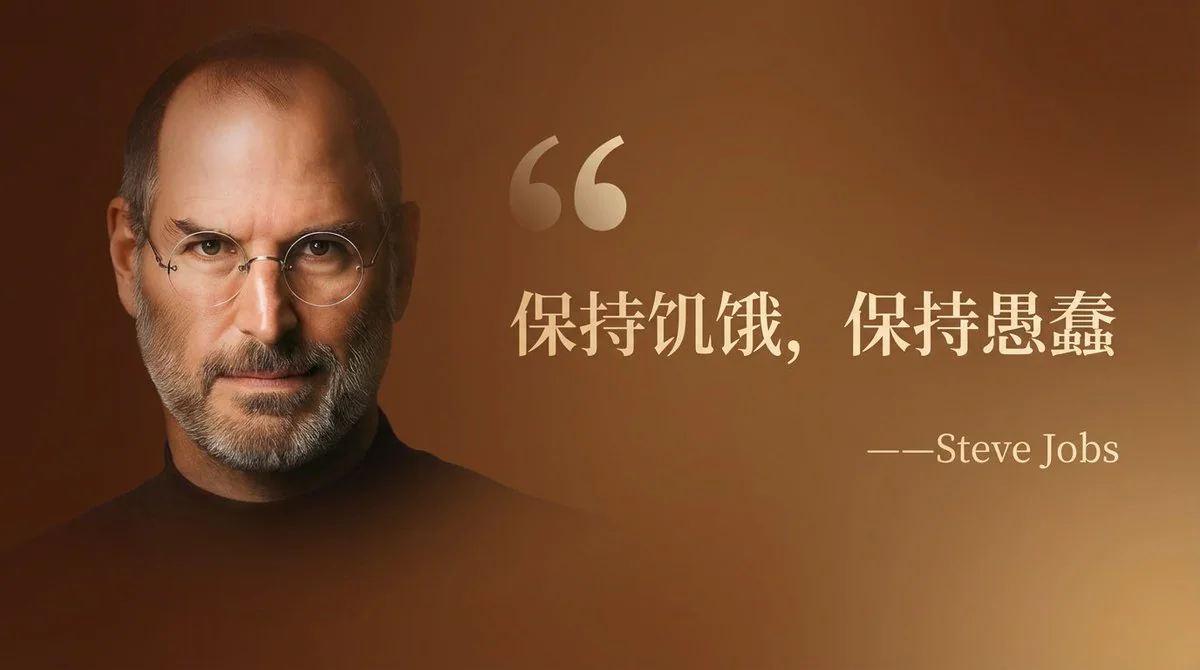
Use cases
The featured 9 are a good sampler of what Nano Banana Pro can actually do when the prompt is tight:
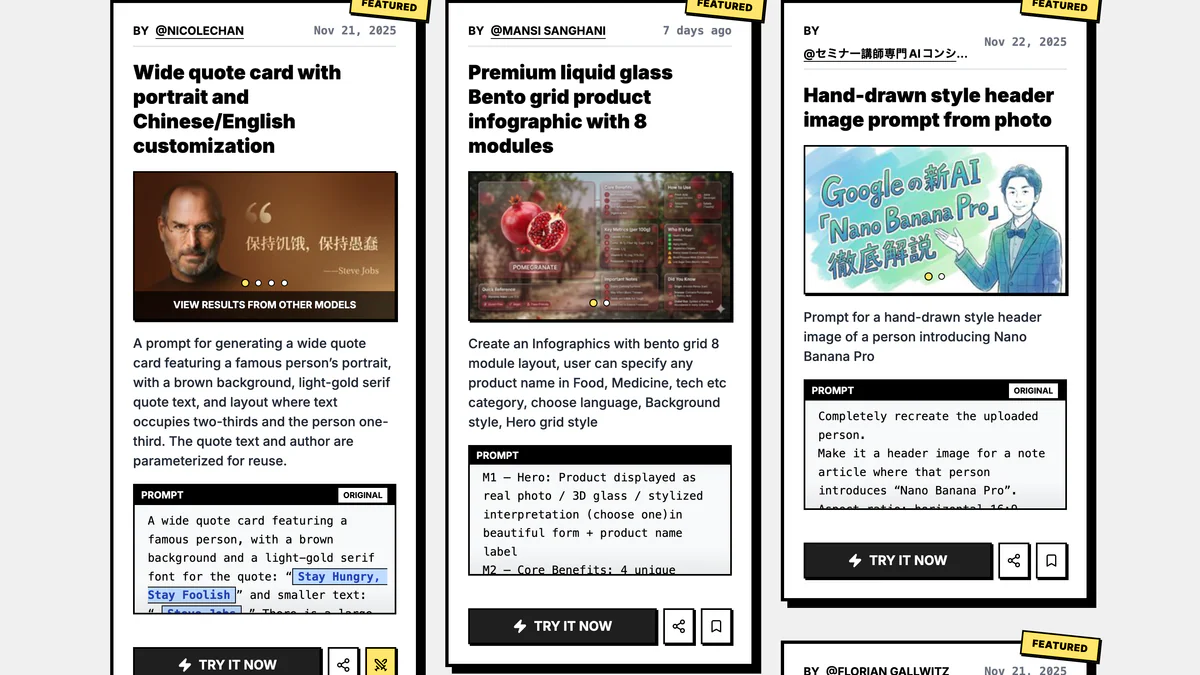
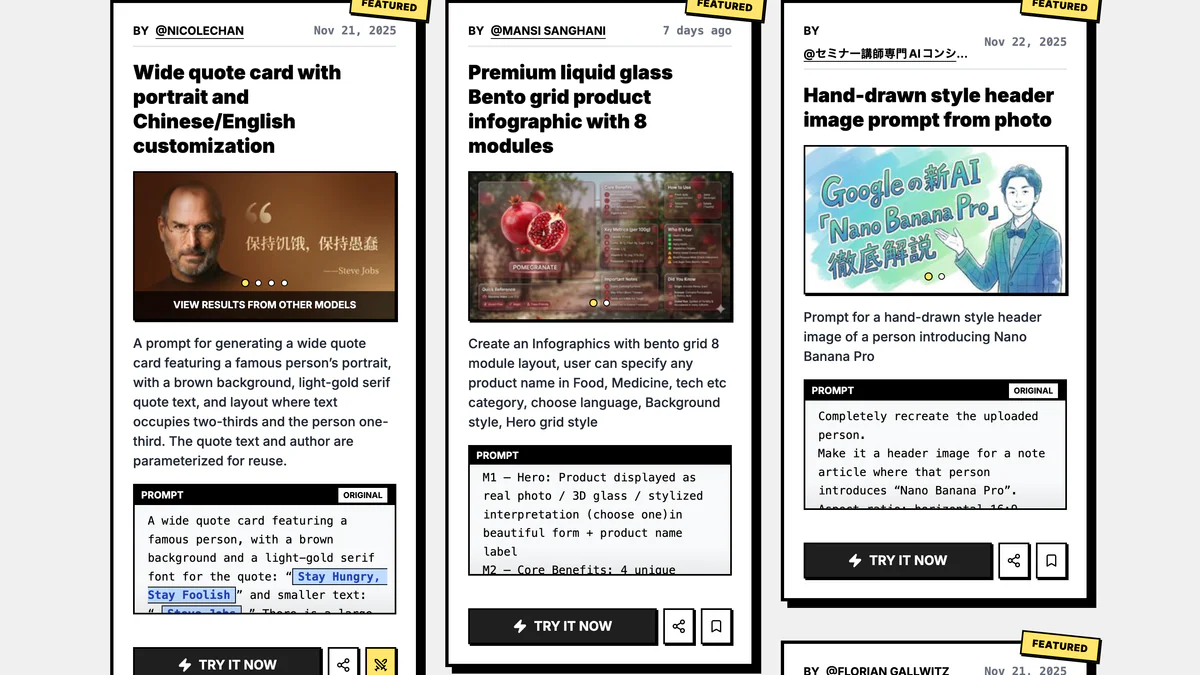
- Quote cards with portraits — Steve Jobs–style brown gradient, parametrized via Raycast
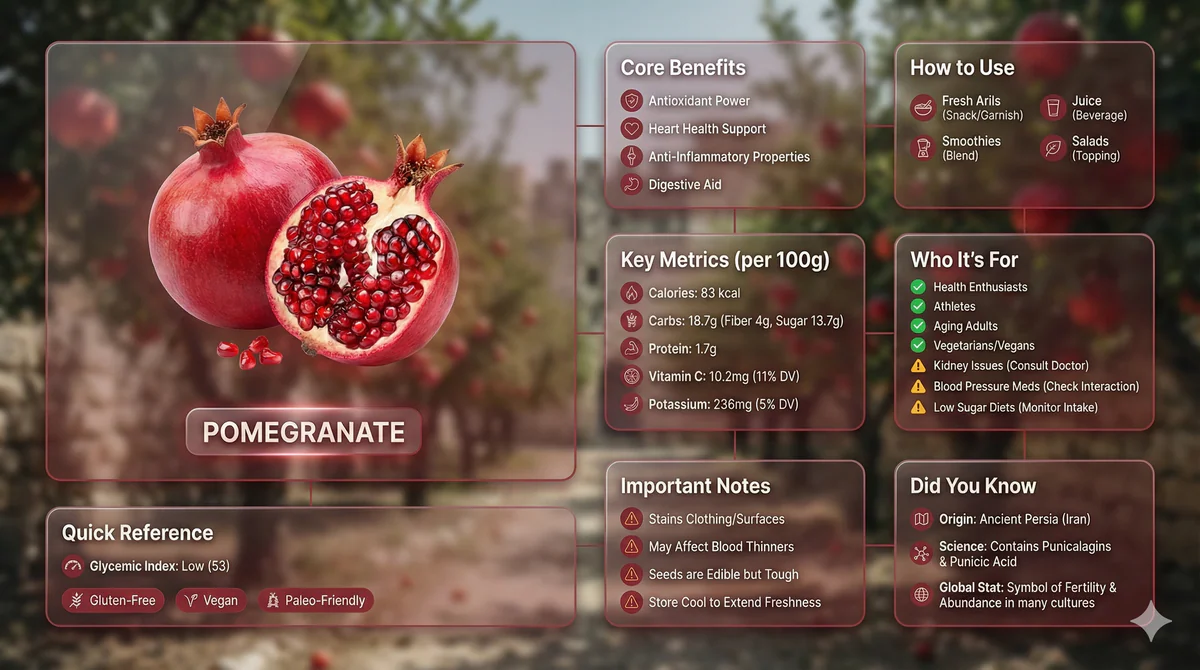
- Premium liquid glass Bento grid infographics — 8-module product breakdown with icons, metrics, and "who it's for"
- Hand-drawn header images from a photo reference
- Watercolor map of Germany with labeled states
- Vintage patent documents for fake inventions
- Chalkboard-style AI news summaries
- Detailed mirror-selfie scenes (featured below — otaku room, anime figures, blue palette)
- Edo-period Ukiyo-e reinterpretations of modern scenes
- Four-panel puzzle compositions (2026 New Year blessing series)
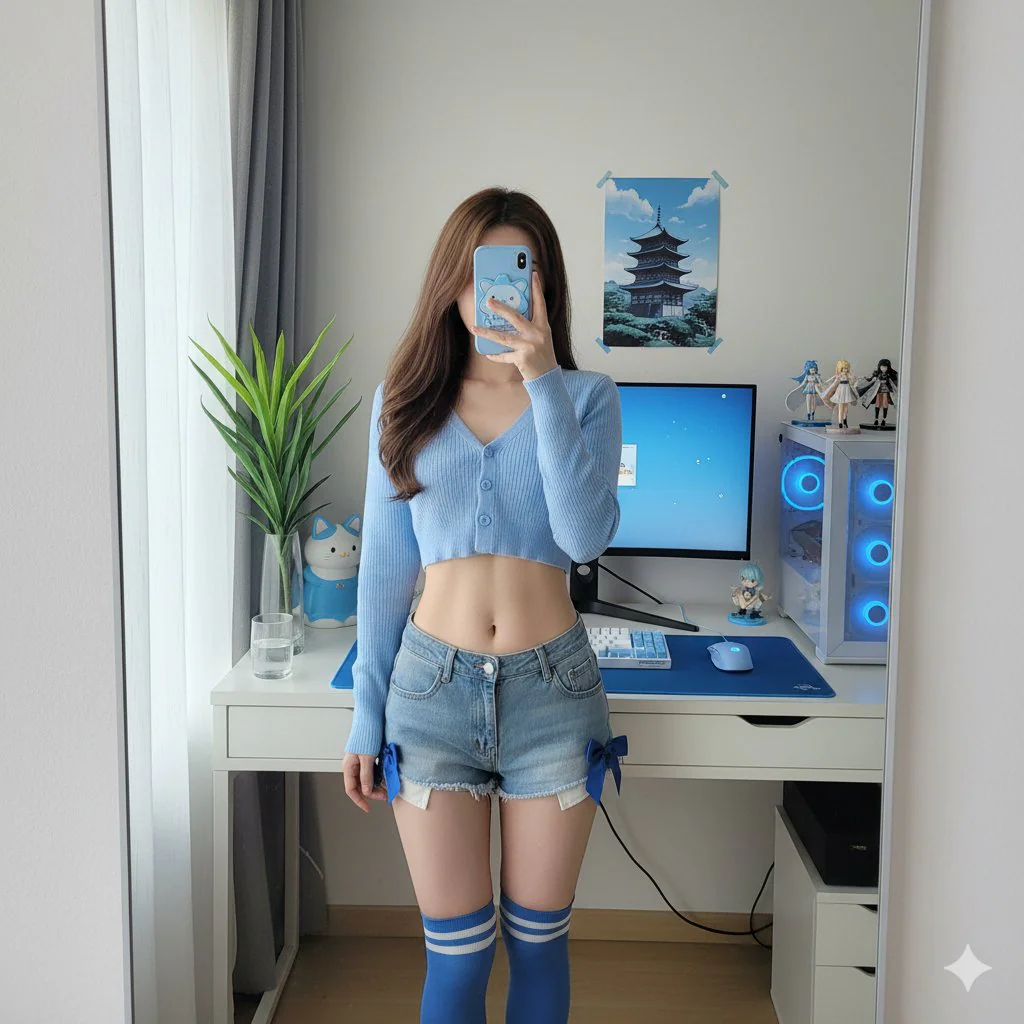
Who actually benefits: marketers cranking product ads, indie hackers who need a decent social post yesterday, content creators doing YouTube thumbnails, designers prototyping UI mockups, devs fine-tuning image agents. The prompts also adapt to GPT Image, Seedream, DALL-E, Flux, Stable Diffusion, and Midjourney with minor tweaks — not Gemini-only.
Limitations & pricing
The repo and the companion skill are 100% free (CC BY 4.0 / MIT). What costs money is the model itself — Nano Banana Pro runs on Google's Gemini API / AI Studio / Gemini app, pricing is separate.
Model caveats Google themselves flag on the DeepMind page:
- Small faces, fine spelling, tiny details can still misfire
- Real-world knowledge isn't infallible — infographics can ship factually wrong numbers if you don't verify
- Translation and localization can miss grammar, idioms, and cultural nuance
- Complex edits (day-to-night, heavy blending) occasionally produce artifacts
- Character consistency (up to 5 characters, 14 objects) mostly holds but can break on long chains
All outputs carry an invisible SynthID watermark. On the repo side: prompts are collected from the public community for educational use; if something infringes, open an issue and it gets removed.
What's next
Installing the Claude Code skill is a one-liner:
npx skills i YouMind-OpenLab/nano-banana-pro-prompts-recommend-skillOr via OpenClaw: clawhub install nano-banana-pro-prompts-recommend. Universal: npx openskills install YouMind-OpenLab/nano-banana-pro-prompts-recommend-skill.
To contribute your own prompt: open a GitHub Issue on the main repo, click "Submit New Prompt," fill the form with prompt + output image. A maintainer slaps the approved label and the Actions pipeline auto-syncs it to the Payload CMS — README updates within 4 hours.
YouMind-OpenLab also ships sister repos: ai-image-prompts-skill (cross-model), awesome-gemini-3-prompts, and awesome-seedance-2-prompts for video. Original X post from @tom_doerr.
Sources: GitHub repo, Google DeepMind, YouMind gallery.