
- Hermes Agent cài bằng một lệnh curl.
- Skills Hub có 687 skills sẵn.
- Profiles cho phép chạy nhiều agent hoàn toàn độc lập - mỗi agent có SOUL.md, memory, skills, và Telegram bot riêng.
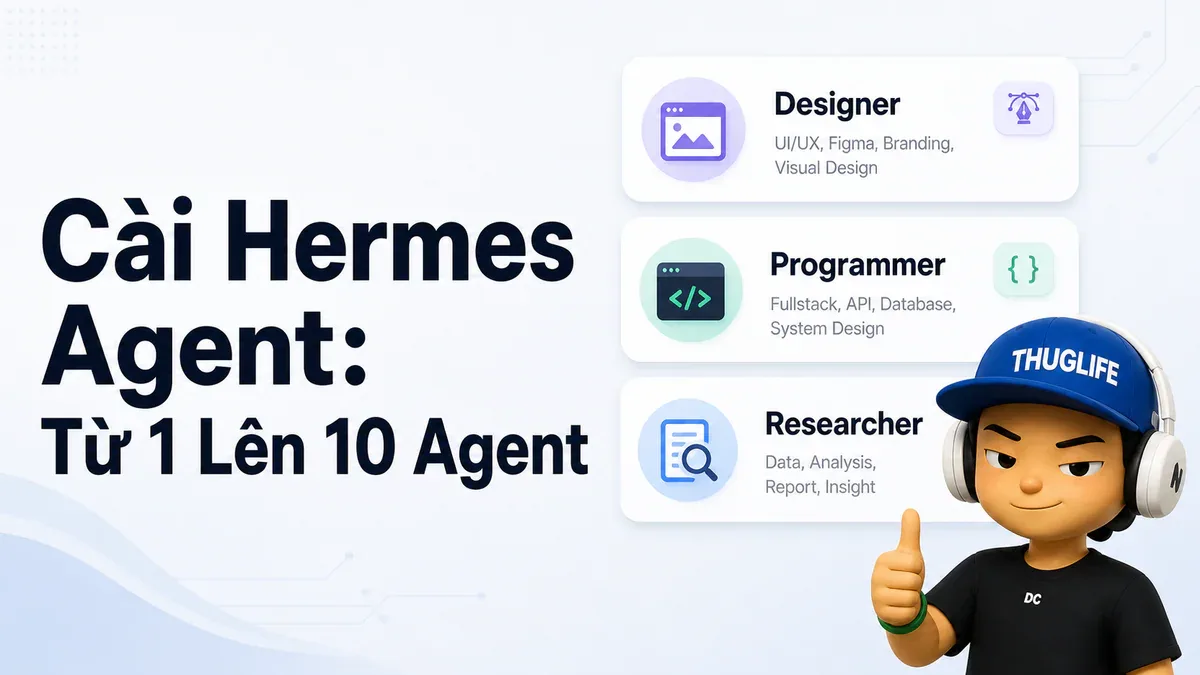
- Designer, Programmer, Researcher: ba agent khác nhau hoàn toàn dù chạy cùng model.
TL;DR
Cài Hermes Agent trên Linux/macOS/WSL2 bằng một lệnh curl, setup với hermes setup. Toàn bộ data nằm trong ~/.hermes/. Skills Hub có 687 skills sẵn có trong 18 categories - bao gồm 87 built-in và 505 từ community. Profiles là first-class feature để chạy nhiều agent độc lập: Designer, Programmer, Researcher - mỗi cái SOUL.md riêng, memory riêng, Telegram bot riêng. Programmer có thể delegate execution sang Claude Code để tận dụng Max subscription sẵn có.
Yêu cầu và cài đặt
Hermes chạy trên Linux, macOS, Android (Termux), và WSL2 - stable. Windows native là early beta. Yêu cầu tối thiểu: Python 3.11+ (installer tự handle), 8GB RAM đủ cho API-based usage.
Cài đặt bằng một lệnh:
curl -fsSL https://hermes-agent.nousresearch.com/install.sh | bash
source ~/.bashrc   # hoặc ~/.zshrc
Chạy setup wizard - nó đi qua provider, API key, model, và tools:
hermes setupBắt đầu chat trong terminal:
hermesNếu muốn nói chuyện với agent từ điện thoại thay vì terminal, kết nối với Telegram bot: lấy bot token từ @BotFather (chạy /newbot), lấy user ID từ @userinfobot, chạy hermes gateway setup. Xong.
Nếu bạn đang migrate từ OpenClaw, setup wizard tự detect ~/.openclaw và offer import settings, memories, skills, API keys. Hoặc dùng hermes claw migrate bất kỳ lúc nào sau đó.
Cấu trúc ~/.hermes/ - biết để không bị lost
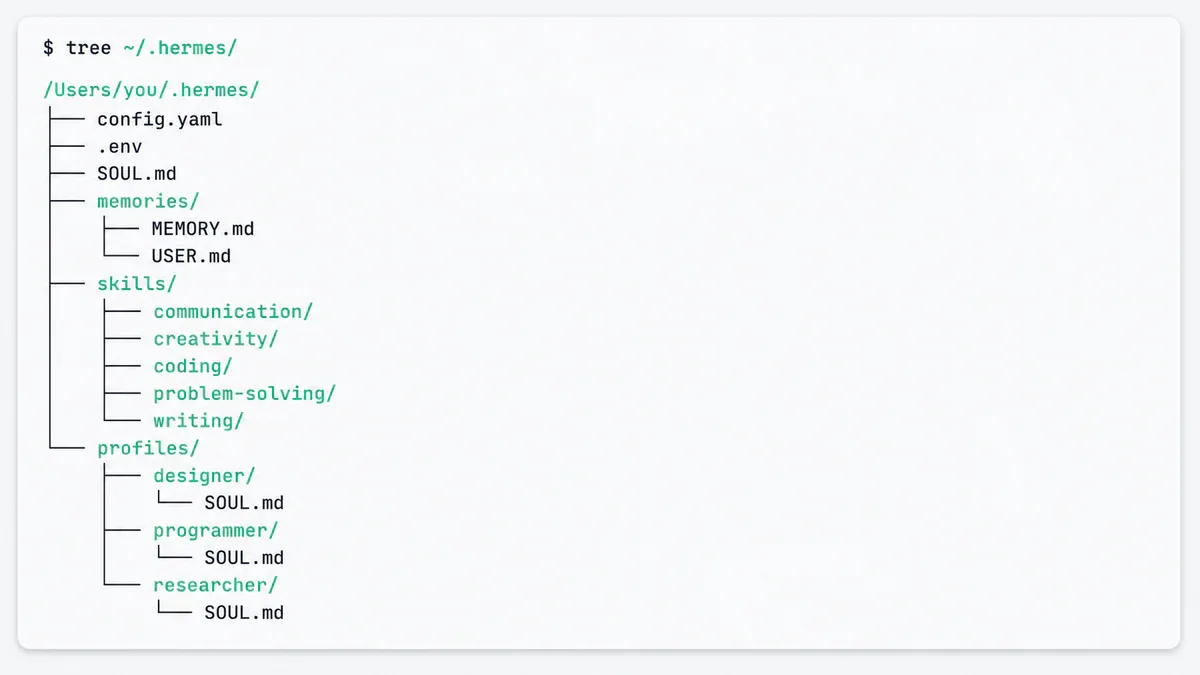
Sau khi cài đặt, thư mục home của bạn có thêm một folder mới. Hiểu layout này giúp bạn nắm được toàn bộ Hermes hoạt động như thế nào:
~/.hermes/
├── config.yaml           # Main configuration
├── .env                  # API keys và secrets
├── SOUL.md               # Agent identity (slot #1 system prompt)
│
├── memories/
│   ├── MEMORY.md         # Persistent agent facts
│   └── USER.md           # User model
│
├── skills/               # Tất cả skills
│   ├── mlops/axolotl/SKILL.md
│   ├── devops/
│   └── .hub/             # Skills Hub state
│
├── sessions/             # Per-platform session metadata
├── state.db              # SQLite FTS5 session store
├── cron/jobs.json        # Scheduled jobs
├── logs/                 # agent.log, gateway.log, errors.log
└── profiles/             # Các agent riêng biệt
Ba files quan trọng nhất:
config.yaml: source of truth cho mọi setting không phải secret. Model, tool config, MCP servers. Edit với
hermes config edit.SOUL.md: slot #1 trong system prompt, trước mọi thứ khác. Identity layer.
state.db: SQLite database backup session search. WAL-mode safe, FTS5-indexed. Đây là thứ khiến "chúng ta đã thảo luận gì ba tuần trước?" thực sự có câu trả lời.
Skills Hub - 687 skills sẵn có
Hermes maintain official Skills Hub với 687 skills trong 18 categories:
87 built-in skills ship cùng agent
79 optional skills enable theo nhu cầu
16 từ Anthropic (frontend-design, pdf, pptx, docx, mcp-builder...)
505 từ community (LobeHub)
Bạn cũng có thể add bất kỳ GitHub repo nào làm custom tap:
hermes skills tap add yourname/your-skills-repo
hermes skills install yourname/your-skills-repo/<skill-name>
Đây là cách share skills trong team hoặc maintain private collection.
Profiles - nhiều agent hoàn toàn độc lập
Một agent là đủ cho nhiều usecase. Nhiều agent chuyên biệt là nơi Hermes thực sự trở nên thú vị.
Profiles là first-class feature: mỗi profile là một Hermes instance độc lập hoàn toàn với config riêng, memory riêng, skills riêng, sessions riêng, và SOUL.md riêng. Chúng không share gì với nhau theo mặc định.
Tạo ba agent cụ thể:
hermes profile create designer --clone
hermes profile create programmer --clone
hermes profile create researcher --clone
hermes profile list
--clone copy config và .env từ default profile làm starting point.
SOUL.md riêng cho từng agent
Đây là nơi ba agent trở nên genuinely khác nhau. Edit SOUL.md của từng profile:
Designer (~/.hermes/profiles/designer/SOUL.md):
You are an expert at creating hand-drawn illustrations that explain
AI, machine learning, and software engineering concepts. Think
whiteboard sketches, not polished marketing art.

Be opinionated about what to draw and what to leave out.
Programmer (~/.hermes/profiles/programmer/SOUL.md):
You are my staff engineer. Terse, direct, pragmatic.

You read code before you write code. You write the smallest change
that solves the problem. Always check: does this already exist?
Are there tests? What breaks if this fails?
Researcher (~/.hermes/profiles/researcher/SOUL.md):
You are my deep researcher for the AI and machine learning space.
Cover four streams: trending GitHub repos, big tech announcements,
fresh research papers, and social pulse on X, Reddit, Hacker News.
Cite every claim with a URL. Flag when signal is thin.
Programmer + Claude Code delegation
Programmer agent trở nên powerful hơn nếu nó không tự write code mà delegate execution sang Claude Code CLI. Hermes orchestrates - Claude Code làm file edits, chạy commands, manage git. Hermes đọc kết quả và quyết định bước tiếp theo.
Điều này cũng có nghĩa bạn tận dụng được Max subscription đang có mà không cần API key riêng - Claude Code dùng Max credentials tự động.
Start session với programmer và gửi prompt này một lần:
I already have a Claude Max subscription. You are my staff engineer
who helps me with my day-to-day coding tasks, and under the hood
you use Claude Code for all the executions. Set yourself up accordingly.
Programmer sẽ tự install claude-code skill, verify claude trên PATH, và bắt đầu dùng nó cho code execution. Từ message tiếp theo, mọi thứ liên quan đến coding (read files, write code, run tests, commit, push) đều route qua Claude Code.
Lưu ý: đảm bảo claude đã có trên PATH (which claude phải trả về real binary path) trước khi activate.
Kết
Setup 3 agent mất không quá 15 phút. Từ đó về sau, bạn có một Designer hiểu visual style của bạn, một Programmer dùng Claude Code dưới backend, và một Researcher sẵn sàng làm daily digest. Mỗi cái học riêng, nhớ riêng, và không bao giờ nhiễm context của nhau.
Bài sau trong series: Cách schedule daily digest, dạy Designer học visual style từ reference images, và tất cả những pattern scheduling hữu ích nhất.
Đạo hữu là phàm nhân, tu tiên giả
... hay AI cào nội dung?
Tất cả nội dung tại đạo quán đều miễn phí. Đạo hữu chỉ cần nhập email của mình để đọc tiếp. Nói KHÔNG với Spam. Huỷ subcribe lúc nào đạo hữu thích.
nếu không muốn nhận newsletter thì có thể nhập mail phụ