
- SSH local port forwarding tạo encrypted tunnel từ local port đến remote service chỉ bằng lệnh ssh -L.
- Access database, web app, container port như thể chạy trên localhost - mọi traffic đều mã hóa đầu cuối.
- Bastion host pattern cho phép reach cả máy hoàn toàn bên trong private network, không cần expose public.
TL;DR
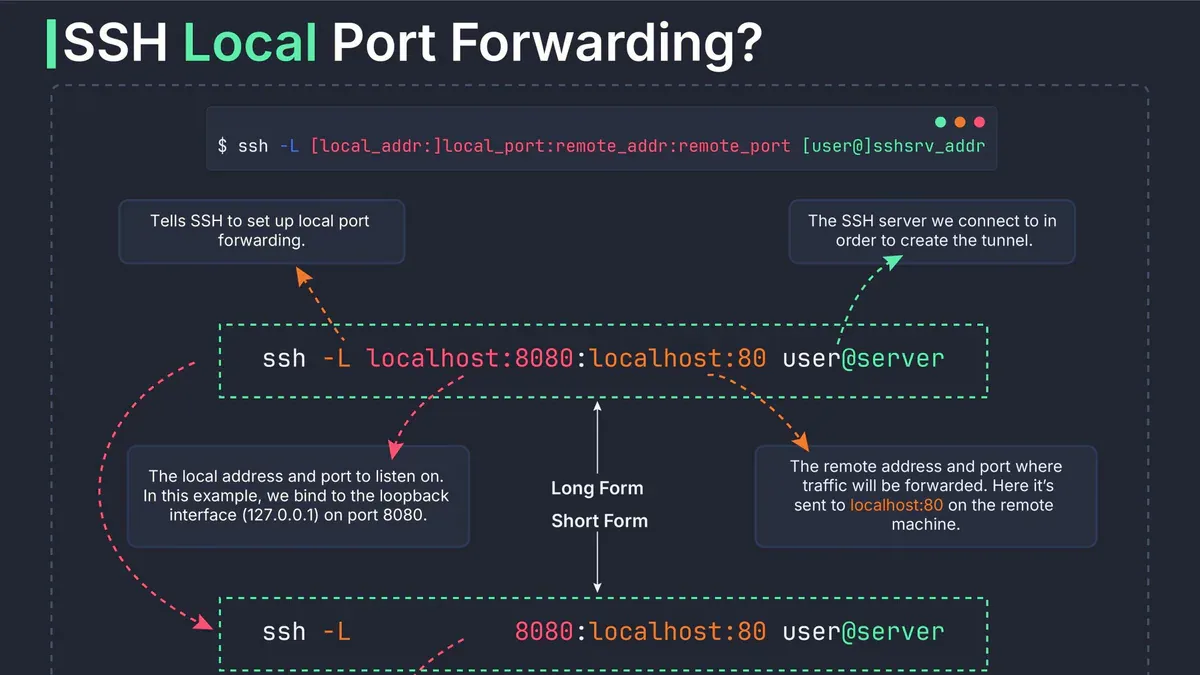
SSH local port forwarding (ssh -L) tạo một encrypted tunnel bảo mật từ một port trên máy bạn đến một service trên remote server. Chỉ một lệnh - bạn có thể access database, web app, container port như thể chúng đang chạy trên localhost, trong khi mọi traffic đều được mã hóa đầu cuối.
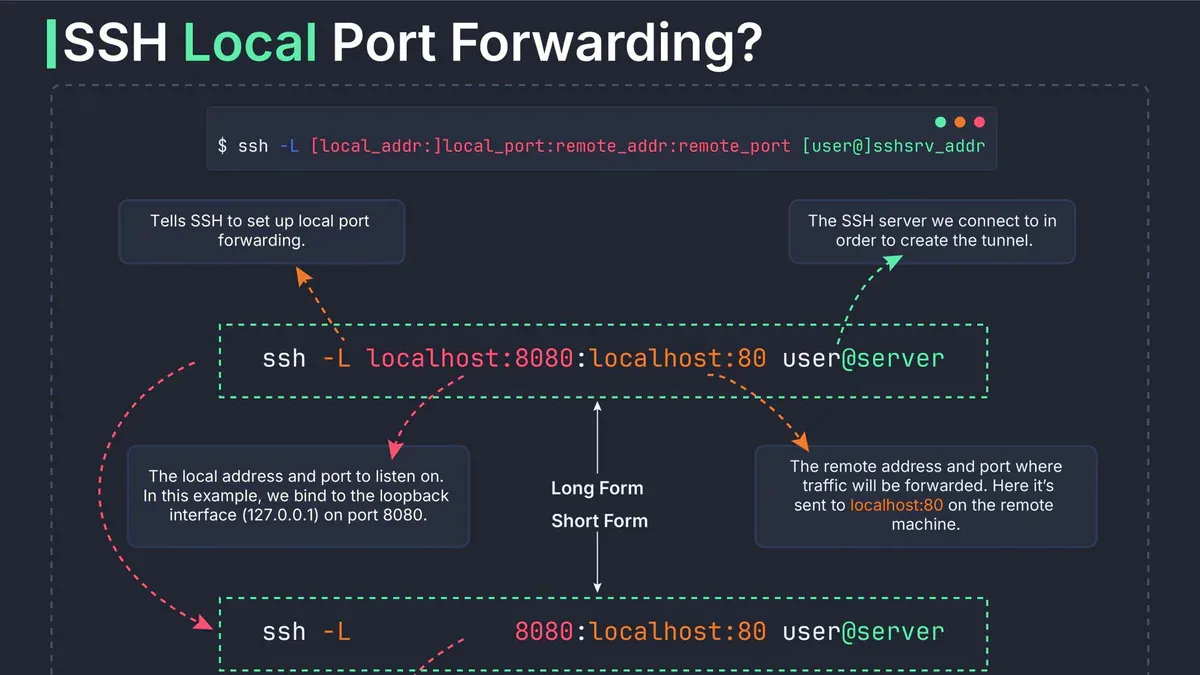
Tunnel hoạt động như thế nào
Khi bạn setup local port forwarding, SSH client trên máy bạn sẽ mở thêm một port mới và đặt "bẫy" ở đó. Bất kỳ app nào gửi traffic đến port đó đều bị SSH client chặn lại, mã hóa, rồi bơm qua tunnel đến SSH server. Server phía bên kia giải mã và deliver đến destination thực sự.
Flow cụ thể 5 bước:
- Initiation: Chạy
ssh -L ...- SSH thực hiện handshake & authentication với remote server. - Listen: SSH client mở
local_porttrên127.0.0.1của bạn, lắng nghe incoming traffic. - Intercept & Encrypt: App local gửi data đến port đó - SSH client bắt lại, mã hóa bằng AES trước khi rời khỏi máy.
- Transmit: Encrypted data truyền qua internet qua SSH tunnel - không ai intercept được.
- Decrypt & Deliver: SSH server nhận, giải mã, forward đến
dest_addr:remote_port. Destination có thể là bất kỳ máy nào mà SSH server nhìn thấy - không nhất thiết chính server đó.
Cú pháp & ví dụ thực tế
Cú pháp đầy đủ:
ssh -L [local_addr:]local_port:remote_addr:remote_port user@ssh_serverPhần local_addr optional - mặc định SSH chỉ bind 127.0.0.1 (localhost). Nếu muốn cho LAN truy cập tunnel thì cần 0.0.0.0 + bật GatewayPorts yes trên server.
Ví dụ 1 - Access web server bị firewall block:
ssh -L 8080:192.168.1.100:80 user@jump_serverMở localhost:8080 trên browser - traffic được tunnel qua SSH đến port 80 của server đích.
Ví dụ 2 - Secure PostgreSQL:
ssh -L 5433:localhost:5432 user@remote-db.comConnect db client tới localhost:5433 - mọi query đều encrypted qua tunnel. Lưu ý common mistake: đừng nhầm local port với remote port - 5433 là local, 5432 là remote.
Chạy tunnel ngầm (không mở shell):
ssh -f -N -L 8080:localhost:80 user@serverFlag -f (background) + -N (no remote command) - tunnel chạy im lặng, không chiếm terminal.
Forward nhiều port cùng lúc:
ssh -L 8080:localhost:80 -L 5433:localhost:5432 user@serverMột SSH connection, nhiều tunnel song song.
Pattern Bastion Host
Đây là trick ít người biết nhưng cực kỳ hữu dụng. Destination trong lệnh -L không bắt buộc phải là SSH server. SSH server có thể đóng vai trò "bastion" - trung gian để reach máy khác hoàn toàn bên trong private network:
ssh -L 4444:2.2.2.3:8888 myuser@2.2.2.2Traffic chạy: localhost:4444 → bastion 2.2.2.2 → target ẩn 2.2.2.3:8888. Máy 2.2.2.3 không cần expose ra internet - chỉ cần bastion nhìn thấy nó từ bên trong network là đủ.
Ứng dụng thực tế của pattern này:
- Access OpenSearch/Elasticsearch cluster trong VPC qua EC2 public instance làm bastion
- Access Docker container port không publish trên server
- Access database trong private subnet của cloud provider
- Debug internal service trong Kubernetes cluster qua kubectl port-forward hoặc bastion
So sánh 3 loại SSH forwarding
| Loại | Flag | Ai mở port mới | Hướng traffic | Use case chính |
|---|---|---|---|---|
| Local | -L | SSH client (máy bạn) | Local → Remote | Access remote service từ local |
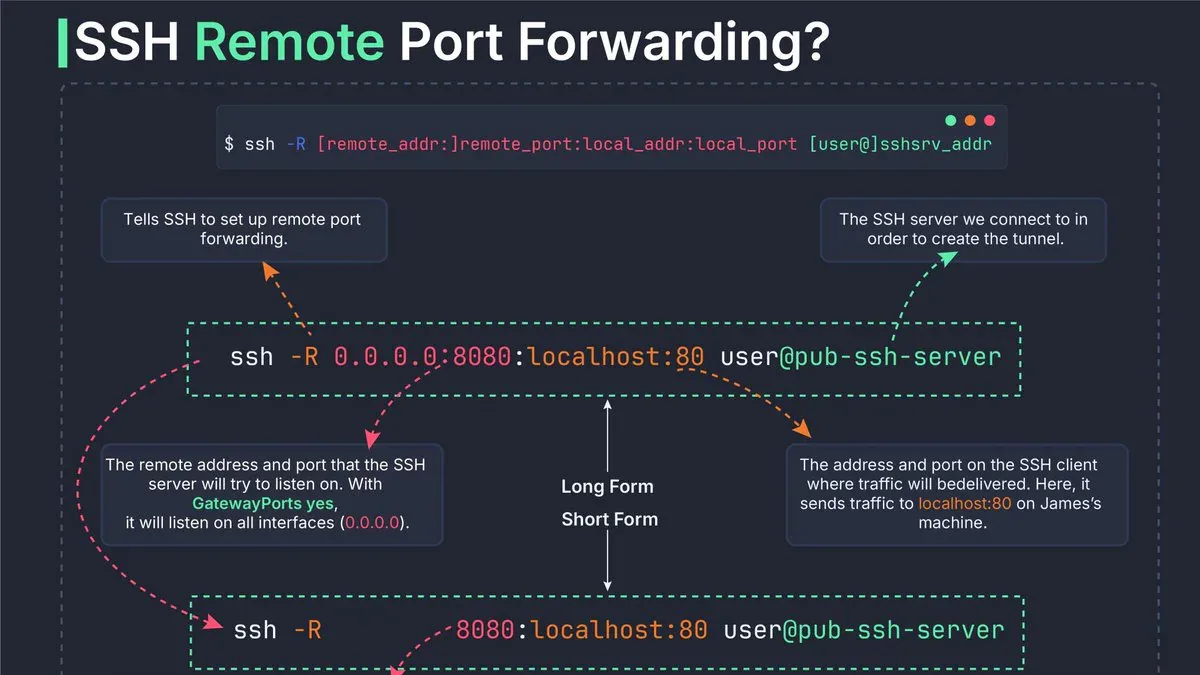
| Remote | -R | SSH server | Remote → Local | Expose local service ra ngoài |
| Dynamic | -D | SSH client (SOCKS proxy) | Local → nhiều đích | Secure browsing, pivot multi-host |
Mnemonic dễ nhớ: "ssh -L local:remote" - vế TRÁI luôn là bên mở port mới. Remote (-R) là ngược lại: server mở port. Dynamic (-D) dùng SOCKS layer 5 - không tunnel được ping, ARP, hay Nmap SYN scan.
Remote forwarding lưu ý: mặc định chỉ expose service trên localhost của gateway server. Muốn accessible từ internet phải set GatewayPorts yes trong sshd_config của server.
Bảo mật & pitfalls
- Port conflict: Nếu local port đã bị app khác dùng - tunnel fail. Kiểm tra trước bằng
ss -tlnp | grep PORT. - AllowTcpForwarding: Server cần có
AllowTcpForwarding yestrongsshd_config(default yes, nhưng hardened server hay tắt). - Attack surface: Mỗi forwarded port = thêm entry point. Chỉ forward những port thực sự cần thiết.
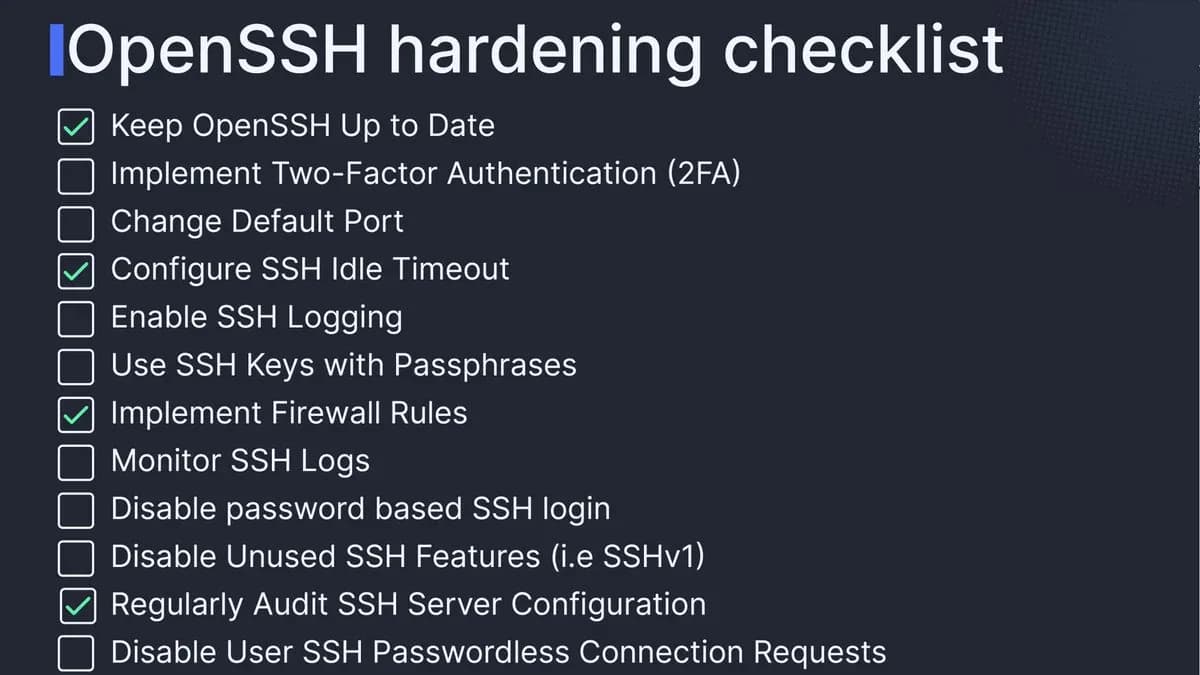
- SSH key > password: Luôn dùng key-based auth để chống brute force.
- Monitor logs: Check SSH logs thường xuyên -
journalctl -u sshdhoặc/var/log/auth.log. - Firewall rules: Giới hạn IP được access forwarded port bằng
iptableshoặcufw.
Tip: Lưu tunnel vào ~/.ssh/config
Thay vì gõ command dài mỗi lần, lưu thành alias trong SSH config:
Host my-database
    HostName remote-db.com
    User admin
    LocalForward 5433 localhost:5432
    ServerAliveInterval 60
Sau đó chỉ cần: ssh my-database. Option ServerAliveInterval 60 gửi null packet mỗi 60 giây để giữ tunnel không bị drop khi idle. Jump host nhiều tầng dùng -J bastion1,bastion2 hoặc directive ProxyJump trong config.
Đọc thêm
Nguồn: Visual Guide to SSH Tunnels - iximiuz.com, SSH Tunneling - Linuxize, SSH Port Forwarding - Built In. Diagram gốc: @sysxplore.