- Claude Code now holds 42% of enterprise coding workloads, yet most users quit after a week of mediocre results.
- The culprit is setup order - plugins before context files is backwards.
- Seven steps done right, in the right sequence, transform Claude Code from a chatbot into an indispensable daily driver.
TL;DR
Most people set up Claude Code backwards. They install plugins, run a few prompts, get generic output, and give up. The fix is simple: context files come first, plugins come last. Follow this 7-step sequence and Claude Code stops being a toy and starts running half your work.
Why Everyone Gets Mediocre Results
Claude Code scored 80.9% on SWE-bench Verified in early 2026 - the highest benchmark in the industry. Anthropic now holds 42% of enterprise coding workloads. And yet the most common complaint from new users is: "it's overhyped."
The problem is not the tool. It's the order of operations.
Without context, every plugin output is generic. Claude doesn't know who you are, what you do, or how you communicate. Installing plugins before context files is like hiring a contractor and handing them blueprints before explaining what the building is for. You get technically correct work that misses the point.
Step 1-2: Context Files Before Anything Else
Before touching a single plugin, create three markdown files:
- about-me.md - your name, role, company, communication style, timezone
- brand-voice.md - words you use, words you avoid, example sentences that sound like you
- current-projects.md - active work with deadlines, blockers, and relevant links
Point Claude to a folder containing these files. Now every response is personalized before a single plugin is involved.
Time investment: 30 minutes. Payoff: every interaction from that point forward.
Then, before running any task, prime Claude with this meta-prompt and save it as a global instruction:
"You are my executive assistant. You have access to my computer and all connected tools. Always show me your plan before executing. Ask clarifying questions if anything is ambiguous. Never delete, move, or modify files without explicit approval."
This stops Claude from going rogue on your filesystem. It forces plan-first execution, which means you catch errors before they happen instead of after. A critical detail: Claude Code's adherence to instructions drops significantly when CLAUDE.md files exceed 2,000 tokens total - community testing found specific rules get ~89% compliance while vague rules get ~35%. Keep global context under 50 lines, project context under 300 lines.
Step 3: One Workflow, One Week
The mistake that kills most setups: trying to automate everything on day one. A morning dashboard, a meeting prep workflow, a content system, and an email summarizer - all in the same afternoon. Two days later, all of them are abandoned.
Pick one recurring task that costs you 20+ minutes and build only that workflow first. Run it for a full week. Refine it. Then add the second.
The best first workflow for most people is meeting prep:
"I have a meeting with [NAME] from [COMPANY] in 30 minutes. Research them, find recent news, pull any previous email conversations, and give me a one-page briefing."
This single workflow saves more time than the next four combined. And it makes you look prepared on every call without doing any of the prep yourself.
Steps 4-5: Folder Structure + Plugins in Order
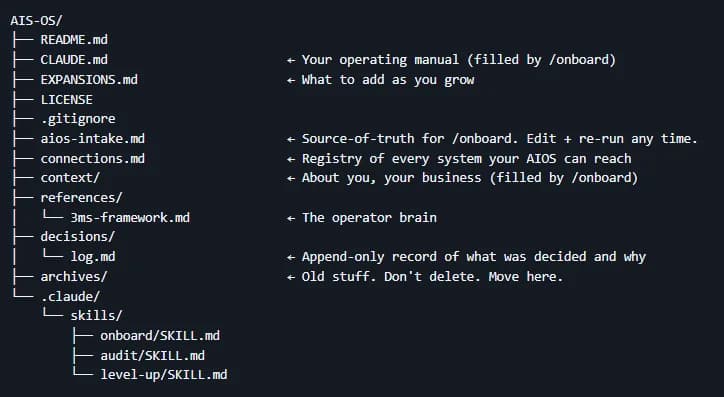
Flat folders break at scale. Structure your workspace like this:
cowork-workspace/
├── context/           (about-me, brand-voice, projects)
├── successful-examples/  (your best emails, posts, proposals)
├── current-tasks/     (active deliverables)
└── references/        (SOPs, style guides, templates)
The successful-examples/ folder is what most people miss. Drop your best 5-10 emails, your highest-performing posts, your best client proposals. Claude reverse-engineers your wins and replicates your patterns instead of guessing your style.
Now, with context set, install plugins in this order:
- Productivity - task management, scheduling, workflow automation. Foundation layer.
- Industry-specific plugin - marketing, sales, data, or whatever matches your daily work.
- A custom plugin you build yourself - tell Claude "I want to create a plugin for [your most repetitive task]. Interview me about the workflow, then build the plugin file." This takes 15 minutes and saves hours.
Skip everything else until these three are running smoothly. In 2026, Skills - Claude's unified extensibility model - allow you to bundle domain knowledge and helper scripts into a single installable unit. Every skill gets its own /slash-command interface automatically.
Steps 6-7: Scheduled Tasks and the Review Loop
Plugins and workflows run when you trigger them. Scheduled tasks run whether you remember or not. This is where Claude Code stops being a tool and starts being an employee.
Start with one: a daily morning briefing that checks your calendar, flags important emails, and lists top priorities. Set it to run at 6am. By the time you sit down with coffee, your day is already organized.
Claude Code now supports cron-based triggers that run entirely unattended:
claude trigger create --schedule "0 6 * * *" --prompt "Check my calendar, flag priority emails, list my top 3 tasks for today"Finally, the step that separates people who use Claude Code for a week from those who use it permanently: a weekly review loop. Every Friday, spend 10 minutes reviewing what worked and what didn't. Update your context files. Tweak your workflows. Add new examples to successful-examples/.
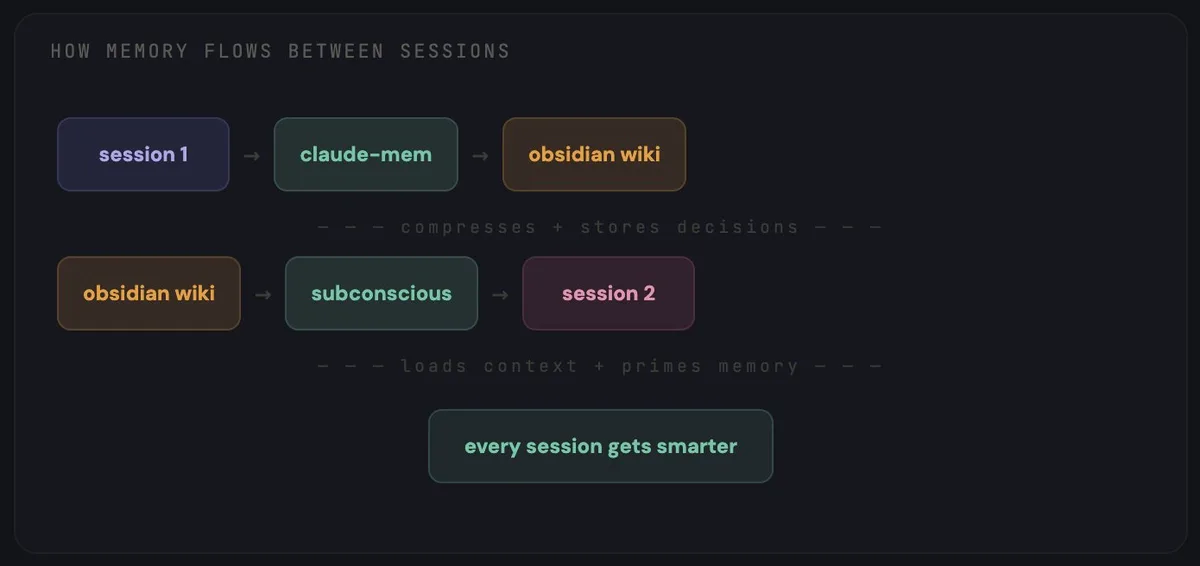
Claude Code gets better the more it knows about you. But it only learns if you feed it.
The Context Era Is Here
The prompting era is over. We're in the context era now.
The difference between "Claude Code is a toy" and "Claude Code runs half my business" is 30 minutes of setup done in the right order: context files first, then the meta-prompt, then one workflow, then plugins, then scheduled tasks.
Stop installing plugins and hoping for the best. Build the foundation and everything else works.
Sources: Claude Code official docs, Morph - Claude Code Best Practices 2026, alexop.dev - Claude Code Full Stack.